Exploring the ASUS Chromebook 14: A Smart Choice for Everyday Use
Our Product Insight
The ASUS Chromebook 14 is a sleek, portable laptop designed to cater to the needs of students, professionals, and casual users alike. With its 14-inch Full HD display, Intel Celeron N50 processor, 4GB RAM, and 64GB eMMC storage, this Chromebook promises to deliver a smooth and efficient computing experience. Whether you're browsing the web, streaming videos, or working on documents, this device aims to make your daily tasks easier and more enjoyable.Key Features
Display and Design
The 14-inch Full HD display is one of the standout features of the ASUS Chromebook 14. With a resolution of 1920 x 1080, you can expect vibrant colors and sharp images, making it perfect for watching movies or working on graphic design projects. The lightweight design, weighing just around 3.2 pounds, makes it easy to carry around, whether you're heading to class or working from a café.Performance
At the heart of the Chromebook is the Intel Celeron N50 processor, which is designed for efficiency rather than raw power. While it may not handle heavy gaming or intensive video editing, it performs admirably for everyday tasks such as web browsing, document editing, and streaming. Coupled with 4GB of RAM, multitasking is manageable, allowing you to switch between tabs and applications without significant lag.
Storage and Battery Life
With 64GB of eMMC storage, you have enough space for essential applications and files. However, if you find yourself needing more storage, the Chromebook supports external storage options and cloud services, which are perfect for keeping your files accessible without cluttering your device. One of the most appealing aspects of the ASUS Chromebook 14 is its impressive battery life. You can expect up to 12 hours on a single charge, making it a reliable companion for long days away from a power outlet.
Who It's For
The ASUS Chromebook 14 is particularly well-suited for: - Students: With its lightweight design and long battery life, it's perfect for taking to classes or studying at the library. - Casual Users: If you primarily use your laptop for browsing, streaming, and light productivity tasks, this Chromebook will meet your needs without overwhelming you with unnecessary features. - Professionals on the Go: For those who need a portable device for emails, video calls, and document editing, the Chromebook offers a straightforward and efficient solution.Pros and Considerations
While the ASUS Chromebook 14 has many strengths, it's essential to consider both the pros and potential limitations:
- Pros:
- Lightweight and portable: Easy to carry around for daily use.
- Long battery life: Perfect for those who are often on the move.
- Full HD display: Great for media consumption and productivity tasks.
- Considerations:
- Limited storage: While 64GB is sufficient for many, heavy users may find it lacking.
- Performance for intensive tasks: Not ideal for gaming or heavy software applications.
In conclusion, the ASUS Chromebook 14 offers a well-rounded experience for users who prioritize portability, battery life, and everyday performance. It's an excellent choice for students, casual users, and professionals looking for a reliable device to handle their daily tasks without the need for high-end specifications. If you're in the market for a Chromebook that balances functionality and convenience, this model is certainly worth considering. Check current price to see if it fits your budget and needs.
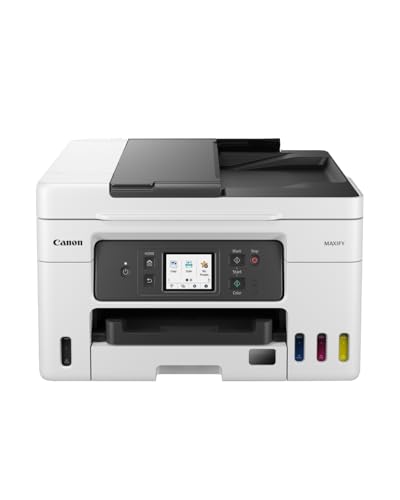
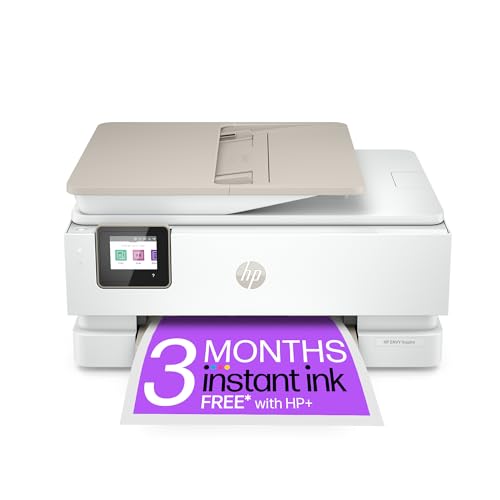
If you're looking for an efficient printing solution to accompany your ASUS Chromebook 14, consider the HP OfficeJet Pro 8125e All-in-One Printer, which offers fast printing speeds and versatile functionality. The Canon MAXIFY GX4050 All-in-One Printer is a great choice for those needing a wireless option with a MegaTank ink system, ensuring you save on ink costs while maintaining quality. For seamless smartphone printing, the Canon PIXMA TS6550I features easy Wi-Fi connectivity and an intuitive 1.42" OLED display that enhances user experience. If you want a stylish and reliable color printer, the HP Envy Inspire 7920e All-in-One Wireless Colour Printer in white will fit perfectly with your modern workspace. Lastly, the HP DeskJet 4220e All in One Printer is ideal for home use, offering color printing, scanning, and copying capabilities, plus three months of free Instant Ink for added convenience. Check out the Canon MAXIFY GX4050 All-in-One Printer - Wireless, MegaTank Inkjet, A4 for great value. Check out the Canon PIXMA TS6550I - All-in-One Printer with Wi-Fi Connectivity & 1.42? OLED Display | Wireless for Easy Printing From Your Smart Phone PIXMA Print P for great value. Check out the HP Envy Inspire 7920e All-in-One Wireless Colour Printer, White for great value. Check out the HP DeskJet 4220e All in One Printer | Perfect for Home | Colour | Wireless | Print, Scan & Copy, ADF | 3 Months of free Instant Ink | Easy Setup & Rel for great value.
More Products You Might Like



Disclaimer: This article has been generated through our AI content insight system and is intended for general informational purposes only. Please carry out your own research and review product details directly before making any purchase decisions.